SitecoreAI - Oracle Digital Assistant Integration
Summary
Recently, we were tasked with integrating an Oracle Digital Assistant (opens in a new tab) chatbot in SitecoreAI.
We will dive into the simple code of integrating this chatbot. This is a POC demonstration which may require more setup and configuration for a production environment.
The Solution
The first thing we needed to do was create a new React component for our chatbot. We made a new component called OracleChat.tsx with the following code:
import { useEffect } from "react";

export default function OracleChat() {
  useEffect(() => {
    if (document.getElementById("oda-script")) return;

    const script = document.createElement("script");
    script.id = "oda-script";
    script.src = "https://static.oracle.com/cdn/oda/latest/web-sdk.js";
    script.async = true;

    script.onload = () => {
      const settings = {
        URI: process.env.NEXT_PUBLIC_ODA_SERVER_URL,
        channelId: process.env.NEXT_PUBLIC_ODA_CHANNEL_ID,
        userId: process.env.NEXT_PUBLIC_ODA_USER_ID,
        openChatOnLoad: true,
      };
      // @ts-ignore
      if (window.WebSDK) {
        // @ts-ignore
        window.Bots = new window.WebSDK(settings);
        // @ts-ignore
        window.Bots.connect?.();
        // @ts-ignore
        window.Bots.open?.();
      }
    };

    document.body.appendChild(script);
  }, []);

  return null;
}
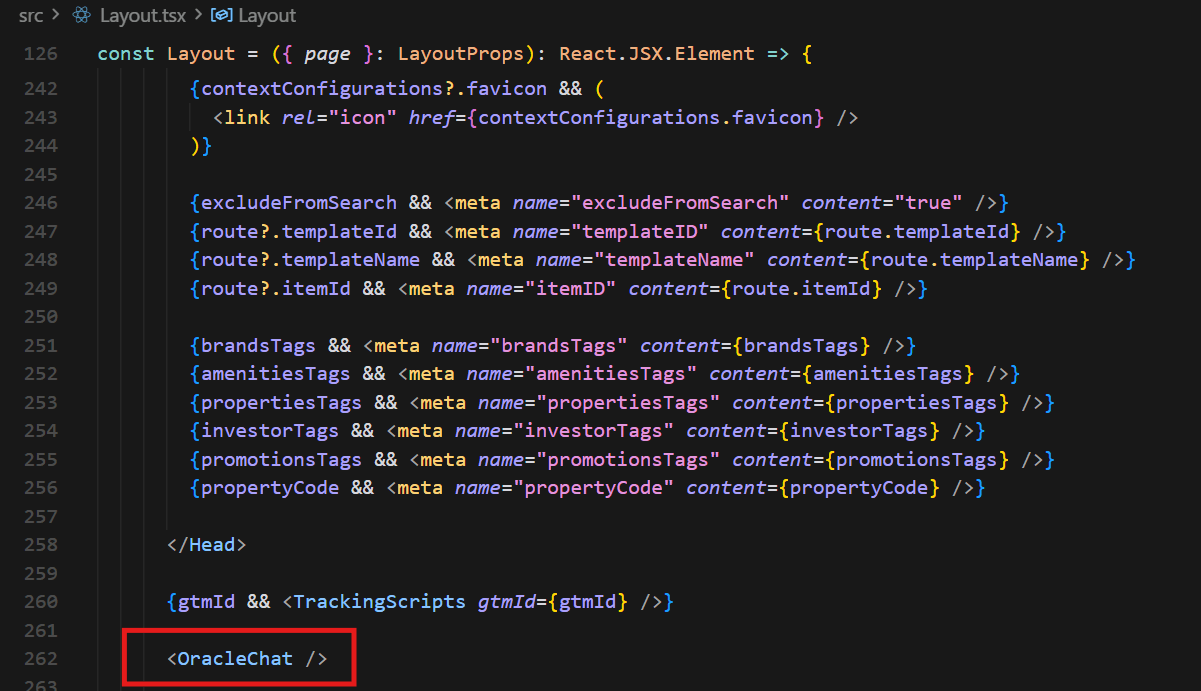
It was a requirement to have the chatbot on every page on the site. To do so, we added the component to the body of our Layout.tsx:
Next, we needed to set our .env variables so everything that everything was wired up correctly.
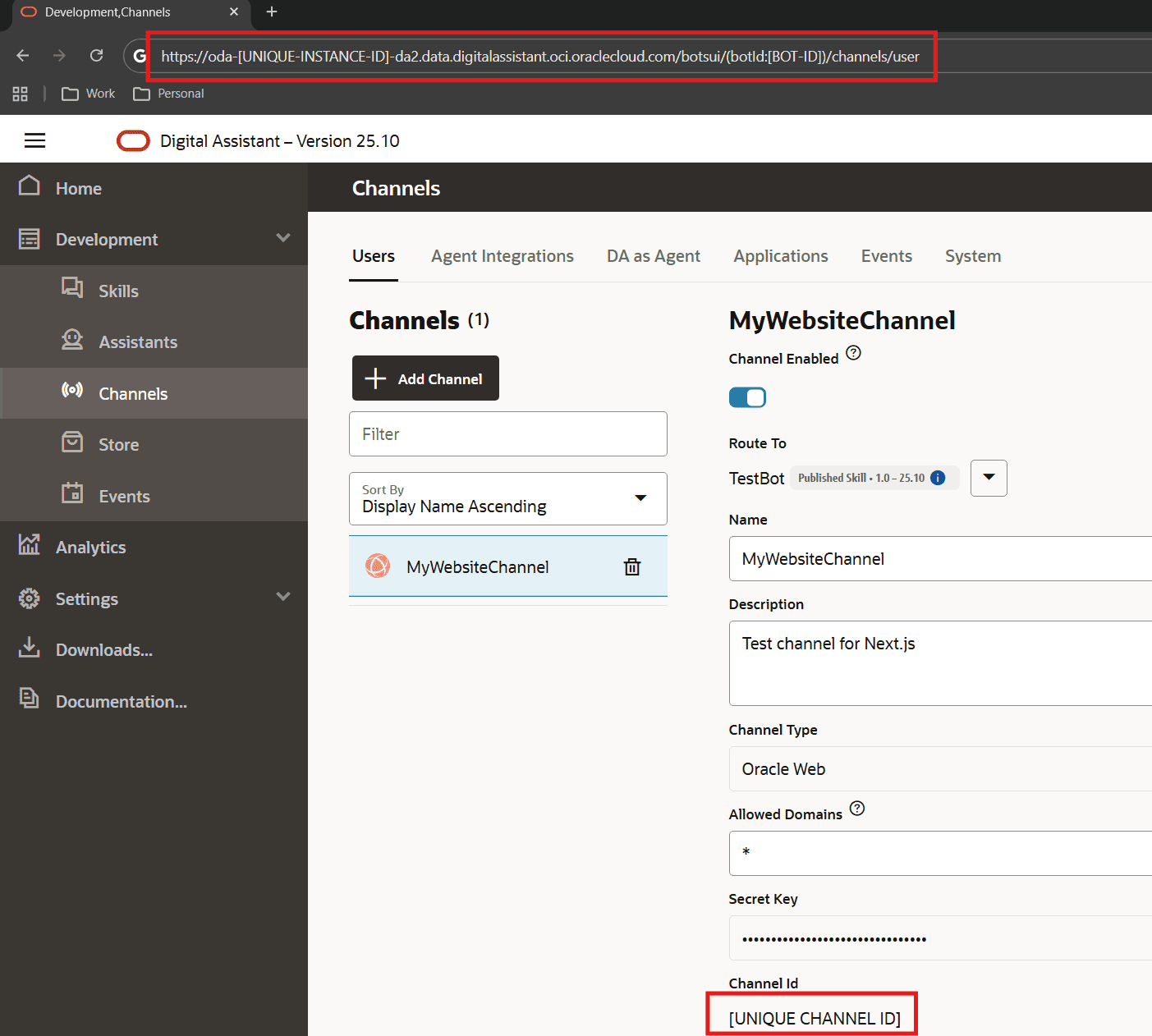
NEXT_PUBLIC_ODA_SERVER_URL is the url of your Digital Assistant instance.
NEXT_PUBLIC_ODA_CHANNEL_ID is the specific channel id used for your website.
NEXT_PUBLIC_ODA_USER_ID is a user id you can pass from the application to the chatbot. We set to a random string for testing.
See the image below on where to locate these values:
Additionally, we had some issues with CSP Headers between our application and the chatbot in Oracle. For a development workaround, we set the following global allow all CSP headers in the next.config:
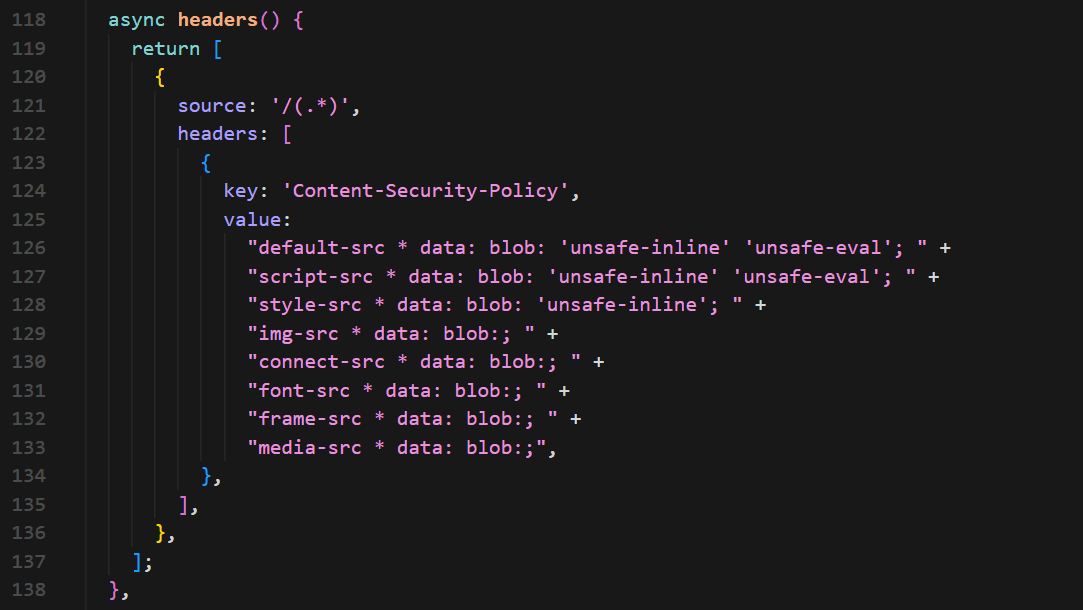
Please note that this is fine for testing and development, but you will want to make sure you have a more secure list of allowed CSP headers specific to your solution here. This is just for testing purposes.
Conclusion
Integrating an Oracle Digital Assistant Chatbot into SitecoreAI was relatively straightforward. SitecoreAI lets us integrate with third party tools like chatbots with ease.