SitecoreAI - Netlify Serverless Functions Reducing Package Size
Summary
Recently, we had a requirement for PDF generation in our SitecoreAI headless application. For context, our application is a Next.js application that is hosted in Netlify.
We leverage @sparticuz/chromium (opens in a new tab) with a dependency on Pupeteer (opens in a new tab) to generate our PDFs for end users to download in the browser.
Netlify was erroring out as our total code size was too big for their serverless functions:
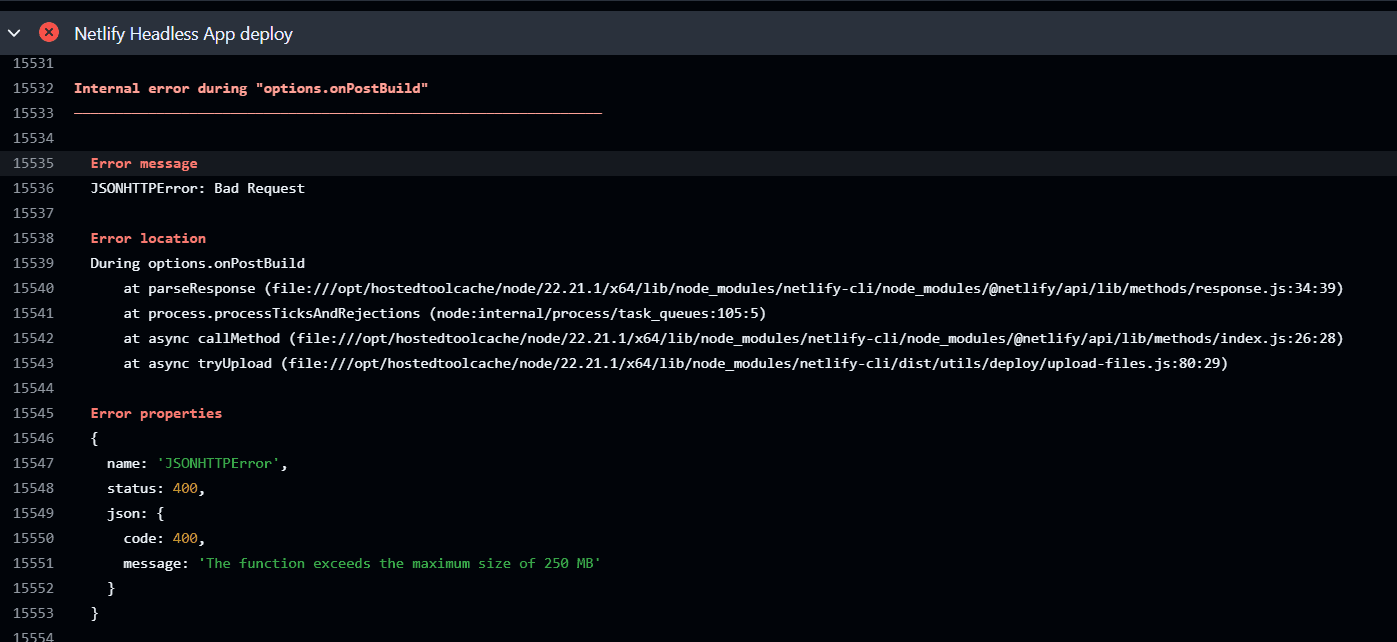
After some investigation, we realized that the two packages we leveraged for PDF generation were the biggest size offender and we needed to remove them from the main package.
The Solution
To reduce the total overall size it made sense to remove Chromium and Puppeteer from the main bundle to reduce the total size.
The first step was to create a Netlify serverless function in our application:
netlify\functions\generate-pdf.ts
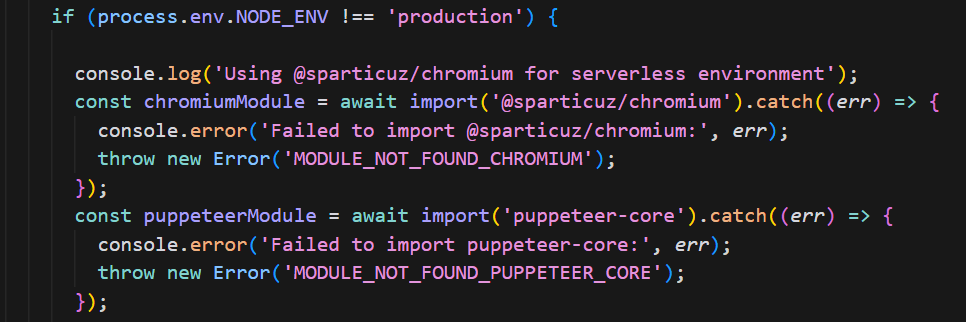
We can then import the required dependencies within the serverless function itself outside of our main package. It is important to note that they are still declared in the package.json, just not directly used by the code unless serverless conditions are met (i.e. in Production). This means that they don't automatically get included in the bundle at build time.
Our code in the serverless function to dynamically import our libraries:
Then we modify our netlify.toml file:
[build]
base = "apps/website-contentsdk"
command = "pnpm run build"
publish = ".next"
functions = "netlify/functions"

[[plugins]]
package = "@netlify/plugin-nextjs"

[functions."generate-pdf"]
node_bundler = "esbuild"
external_node_modules = [
  "@sparticuz/chromium",
  "follow-redirects",
  "tar-fs",
  "tar-stream",
  "streamx",
  "events-universal",
  "fast-fifo",
  "b4a",
  "queue-microtask",
  "pump",
  "end-of-stream",
  "once",
  "text-decoder",
  "wrappy",
]
included_files = [
  "node_modules/@sparticuz/chromium/**/*",
  "node_modules/follow-redirects/**/*",
  "node_modules/tar-fs/**/*",
  "node_modules/tar-stream/**/*",
  "node_modules/streamx/**/*",
  "node_modules/events-universal/**/*",
  "node_modules/fast-fifo/**/*",
  "node_modules/b4a/**/*",
  "node_modules/queue-microtask/**/*",
  "node_modules/pump/**/*",
  "node_modules/end-of-stream/**/*",
  "node_modules/once/**/*",
  "node_modules/text-decoder/**/*",
  "node_modules/wrappy/**/*"
]
Make sure you add the functions section and add a reference to external_node_modules for @sparticuz/chromium.
Then you need to make sure that every direct dependency that @sparticuz/chromium depends on is also in your list. Explicitly managing external modules means we need to know all the dependencies to add here for everything to work.
Next, it's important to make sure each of these dependencies are called out in your package.json as well as the included_files reference so the function knows where to find everything properly.
Conclusion
Leveraging Netlify serverless funcitons and configuring our code strategically to import libraries only when needed enables us to reduce total package size and optimize build times.